


Table of Contents
Open-source intelligence (OSINT) tools pull together publicly available information from across the internet and turn it into something a fraud team, security analyst, or investigator can actually use. The strongest tools go well beyond what a standard search engine returns, since they target specific data points about a person, domain, device, or business rather than general keyword results, and many can cross-reference several data sources at once.
OSINT tools help verify who you’re really doing business with, spot exposed company data before criminals find it, and build the kind of evidence trail that supports chargeback disputes and fraud investigations. Below is an updated, re-evaluated look at ten OSINT tools worth knowing in 2026, including where the tools recommended in the past have changed, gone paid, or been overtaken by better options.
What Are OSINT Tools?
Open-source intelligence (OSINT) tools are software or platforms that collect Open-Source Intelligence, meaning information that’s freely or semi-freely accessible without hacking or unauthorized access. That includes obvious public sources like websites, social media, and forums. It also extends to material that’s technically public but hard to find manually, such as documents indexed by search engines, exposed device configurations, breached data that’s been republished online, or metadata buried inside a file.
The line between an OSINT tool and a search engine is access and precision. A search engine returns pages that match keywords. An OSINT tool is built to home in on a specific type of data, such as an email address, an IP address, a domain’s subdomains, or a device connected to the internet. Plus, it can often reach information sitting behind logins, in archived breach dumps, or in structured databases that a normal search never surfaces.
How Businesses and Investigators Use OSINT Tools
Fraud and security teams reach for these platforms for a handful of recurring jobs: penetration testing and attack surface discovery, breach and leak detection, due diligence and ethical investigation (including know your customer (KYC) checks on new vendors or accounts), and chatter and brand monitoring.
OSINT tools generally get used in a handful of recurring ways:
- Penetration testing and attack surface discovery: finding what information about your own network or company is already exposed online, before an attacker does.
- Breach and leak detection: spotting company data circulating publicly that you didn’t put there yourself, which usually points to a leak, a misconfiguration, or an active breach.
- Due diligence and ethical investigation: researching a vendor, a customer, or a counterparty using only public information, within the ethical and legal boundaries of the OSINT community and applicable law.
- Chatter and brand monitoring: tracking what’s being said about your business, your executives, or your products across social platforms, forums, and the dark web, so you can catch coordinated attacks, leaked credentials, or eCommerce fraud rings early.
What Kind of Information These Tools Can Surface
Depending on the tool, OSINT platforms can pull together data such as domain and DNS records, IP addresses, email addresses, usernames, phone numbers, social media activity, file and image metadata, forum and messaging-board posts, court records and other public filings, and dark web listings. That range is what separates OSINT tools from a general search engine, and it’s why they’re worth building into a broader fraud-prevention or chargeback-reduction program rather than treating them as a one-off research tool.
The 10 Best OSINT Tools in 2026
A note on methodology: this list revisits a set of tools that has circulated in OSINT roundups for several years and checks each one against its current state. The tools below are listed in no particular order of ranking.
1. Trace Labs OSINT VM
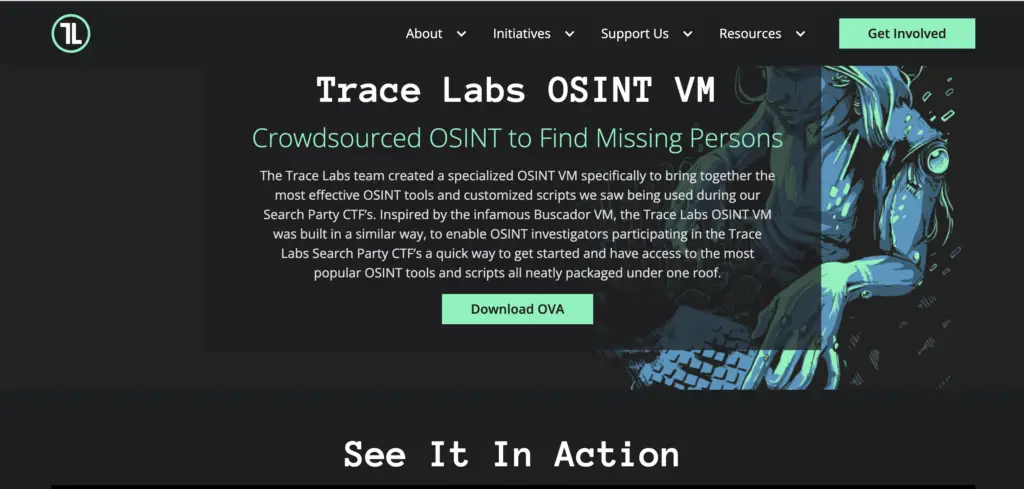
Best use case: Standing up a dedicated OSINT investigation workstation quickly.
Trace Labs is a nonprofit that crowdsources OSINT to help law enforcement locate missing persons. A free virtual machine from the Trace Labs nonprofit, recently migrated from Kali Linux to Debian 13. Version 2026.05 removed offensive-security tools unnecessary for pure OSINT work while reducing image size. It ships preloaded with tools like SpiderFoot, Sherlock, PhoneInfoga, and Metagoofil, along with a hardened Firefox setup.
Key features:
- Free, open-source virtual machine (VirtualBox and VMware images)
- Curated, pre-installed OSINT toolset that’s updated with each release
- Firefox hardening and privacy-focused defaults out of the box
- Actively maintained by Trace Labs staff with public GitHub releases
Pros:
- Completely free and actively maintained
- Saves significant setup time versus building an OSINT environment from scratch
- Backed by a real nonprofit mission, with a track record in missing-persons cases
Cons:
- Still requires comfort with virtual machines and Linux
- Debian migration means some Kali-specific tooling and muscle memory won’t carry over
- Not designed for offensive testing, since it deliberately excludes those tools
Solo researchers and small fraud or security teams without a dedicated tooling budget get the most out of this one. Rather than spending days assembling and configuring individual OSINT utilities, they get a working investigation environment in the time it takes to import a VM file.
2. OSINT Framework
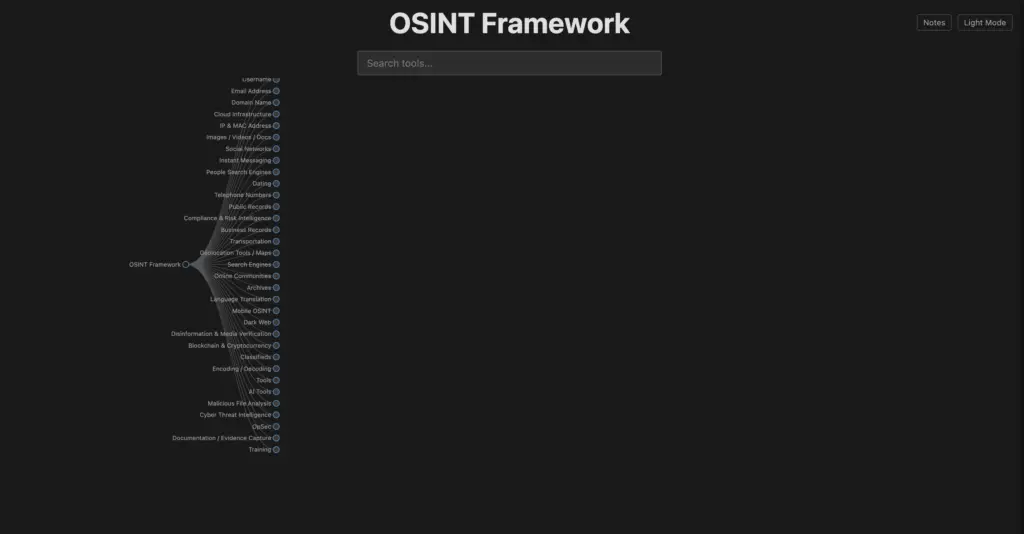
Best use case: Figuring out which specific tool or resource to use when you already know what type of data you’re looking for (an email address, a domain, a phone number) but don’t know where to start.
The OSINT Framework isn’t a tool itself. It’s a free, browsable directory that organizes hundreds of OSINT resources into a tree structure by data type (email, domain, IP, username, social media, and more). Created by security researcher Justin Nordine, it remains actively maintained on GitHub and is still one of the most commonly recommended starting points in the OSINT community.
Key features:
- Free, browser-based interactive tree of linked resources
- Clear labeling for tools that require registration, cost money, or run locally
- Broad coverage spanning infosec, journalism, and general research use cases
- Regularly updated via community pull requests
Pros:
- No cost and no account needed to browse
- Extremely broad: a genuine map of the OSINT tool landscape
- Good entry point for people new to OSINT
Cons:
- Doesn’t gather or analyze any data itself, since it’s purely a directory
- Some linked third-party tools inevitably go stale, get paywalled, or disappear
- Requires you to already have a general idea of what you’re looking for
People who are new to OSINT altogether, including students, journalists, and business owners doing their first bit of self-research, benefit the most here. It orients newcomers toward the right specialized tool instead of leaving them to guess or rely on general web searches.
3. Shodan
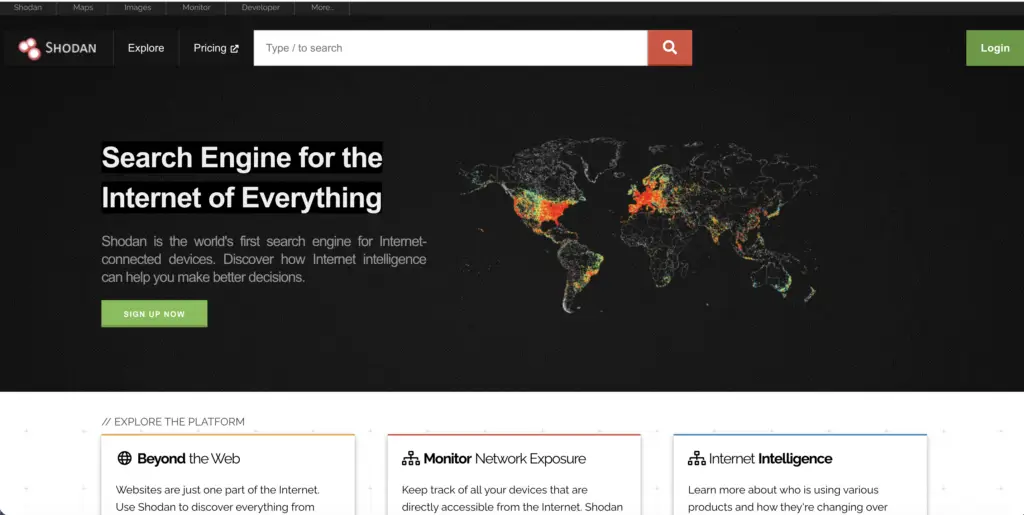
Best use case: Attack surface monitoring, meaning finding company devices, servers, or services that are visible to the internet and could be a target for attackers.
Shodan is a search engine for internet-connected devices rather than web pages. Instead of indexing content, it indexes servers, webcams, industrial control systems, and other IoT devices exposed to the internet, which makes it the go-to tool for finding what a business or network has inadvertently exposed to the public.
Key features:
- Searchable index of internet-facing devices and services, with filters by port, product, organization, and country
- Vulnerability and CVE tagging for exposed services
- API access for integrating Shodan data into other security tools
- Browser plugin and command-line interface
Pros:
- Purpose-built for exactly this kind of exposure discovery, with nothing else quite matching it
- Strong API for automation and integration with other tools
- Long track record and active development
Cons:
- Full functionality requires a paid membership or API credits
- Results require security expertise to interpret correctly
- Can surface a large volume of false positives without proper filtering
Network security and IT teams responsible for their own company’s infrastructure benefit most from Shodan, since it shows them exactly what an outside attacker would see before that attacker finds it first.
4. Maltego
Best use case: Mapping out connections between a suspect entity (a customer, a domain, a shell company) and everything else it touches, in a visual graph that’s easy to present to a compliance or legal team.
Maltego is a graph-based link-analysis platform that has become close to an industry standard for visualizing relationships between people, domains, companies, IP addresses, and other entities. It replaces a narrower bug-bounty scanning tool from earlier versions of this list, since Maltego is far more widely adopted, better documented, and more relevant to the kind of investigative and due-diligence work most businesses actually need.
Key features:
- Drag-and-drop graph interface linking entities via “transforms” (data queries)
- Free Community Edition with limited results per query
- Paid tiers with access to premium data transforms and larger result sets
- Integrates with add-ons like Social Links’ SL Professional module
Pros:
- Visual output is far easier to communicate to non-technical stakeholders than raw data
- Massive transform library covering domains, social media, breach data, and more
- Free tier is genuinely useful for smaller investigations
Cons:
- Meaningful learning curve, especially for building custom transforms
- Full data access requires paid transforms and a commercial license
- Community Edition caps results, which can undercut larger investigations
Fraud investigators and compliance analysts who need to explain a complex web of connections to non-technical decision-makers, such as a legal team or an executive reviewing a chargeback dispute, get the most value here. The visual graph does the persuading that a spreadsheet of raw data can’t.
5. NexVision

Best use case: Enterprise-level dark web monitoring and real-time keyword alerting, including for law enforcement and government teams.
NexVision is an AI-powered platform that pitches real-time intelligence from the “whole web,” meaning the clear web, the dark web, and social media, aimed at use cases like KYC background checks, cyber threat intelligence, and ransomware-address monitoring. It’s positioned for governments, militaries, and enterprise security teams, and it’s since become commercially available more broadly. Independent public reviews of NexVision remain fairly thin and mixed compared with more established platforms, so businesses considering it should request a live demo and speak with current reference customers rather than relying on vendor marketing alone.
Key features:
- AI/ML-driven collection and filtering across the clear web, dark web, and social media
- Real-time keyword alerts delivered via dashboard, email, or text
- Natural-language processing aimed at reducing false positives
- No specialized data-science background required to operate
Pros:
- Broad data coverage spanning multiple layers of the internet in one platform
- Designed to be usable by non-technical analysts
- Real-time alerting is well suited to ongoing brand and fraud monitoring
Cons:
- Enterprise pricing, with limited public pricing transparency
- Independent third-party reviews are sparse relative to more established tools
- Best validated with a trial or proof-of-concept before a full commitment
Larger enterprises and government-adjacent organizations with budgets for a managed, all-in-one dark web monitoring solution stand to benefit most. Smaller merchants without an established vendor-vetting process should be more cautious here, given the thinner independent review record, and should insist on a proof-of-concept before signing anything.
6. Social Links
Best use case: Deep, cross-platform investigations, for example tracing a fraud ring across social media accounts, messaging apps, and cryptocurrency wallets in a single workflow.
Social Links is an AI-driven OSINT vendor that pulls, analyzes, and visualizes data from social media, messaging apps, blockchains, and the dark web. It’s grown since it first appeared on lists like this one: it now spans multiple products, including SL Professional (a Maltego add-on) and SL Private Platform, an on-premise option that blends open-source data with a company’s internal records.
Key features:
- Access to 500+ open data sources spanning social media, blockchains, and the dark web
- AI-powered link analysis and automated data extraction
- On-premise deployment option (SL Private Platform) for sensitive environments
- Maltego integration via SL Professional
Pros:
- Very broad source coverage for social and blockchain investigations specifically
- On-premise option addresses data-sensitivity concerns other cloud tools can’t
- Strong visualization tools for presenting findings
Cons:
- Enterprise, contact-sales pricing with a real learning curve
- Best suited to dedicated investigators rather than occasional users
- Some capabilities require pairing with Maltego rather than working standalone
Law enforcement units and corporate security teams running high-volume, multi-platform investigations benefit the most, particularly organizations that need an on-premise option to keep sensitive internal data out of a third-party cloud.
7. Google Dorks

Best for: A quick first pass on what information about your domain is publicly discoverable, and one of the simplest free OSINT tools to start with.
Google Dorks, also called Google hacking, refers to search operators such as filetype:, intext:, inurl:, and intitle: that let you filter standard Google search results with much more precision than a typical query. It remains free and widely used, though it’s worth knowing it’s not static: some operators have been restricted or deprecated over the years as Google has tightened automated querying and adjusted its indexing, so results can be less consistent than dedicated OSINT tools.
Key features:
- No signup, no software, and no cost, just modified Google search queries
- A well-documented set of operators covering file types, URLs, page titles, and text
- Widely taught and referenced across the security community
- Works alongside other tools as a quick first pass
Pros:
- Completely free and instantly accessible to anyone
- Very fast way to check for obvious public exposure
- No installation or account required
Cons:
- Coverage is limited to what Google has indexed
- Aggressive or automated querying can trigger CAPTCHAs or rate limits
- Some operators have been curtailed over time, so results can be inconsistent
Small business owners and solo merchants with no OSINT budget at all benefit the most from Google Dorks, since it delivers real diagnostic value using a search engine they already have open every day.
8. Phonebook.cz
Best use case (with a paid account): Quickly enumerating every email address and subdomain publicly associated with a target domain, using Intelligence X’s large indexed record set.
Phonebook.cz, backed by Intelligence X, searches a domain or subdomain and returns associated email addresses and URLs. This is the biggest change on this list since it was last reviewed: Phonebook.cz is no longer a free, open tool. It now requires a paid Intelligence X account to use, after previously being free to the public.
Key features:
- Searches billions of indexed records for domain-linked emails, subdomains, and URLs
- Wildcard domain searches supported
- Backed by Intelligence X’s broader data corpus
- Pairs well with tools like theHarvester for cross-checking results
Pros:
- Large, well-indexed data set behind the search
- Straightforward, single-purpose interface
- Useful complement to other domain-recon tools
Cons:
- No longer free, requiring a paid Intelligence X account, a significant change from its earlier positioning
- Narrower in scope than multi-source tools like theHarvester or SpiderFoot
- Value now depends heavily on Intelligence X’s pricing for your use case
Teams already using Intelligence X for other investigations get the most value now, since the paywall makes the most sense for organizations that can spread that cost across a broader set of ongoing domain-recon work rather than a single one-off search.
9. theHarvester
Best use case: A fast, free initial assessment of publicly discoverable information about your domain, one of the more reliable free OSINT tools available.
theHarvester is a free, open-source reconnaissance tool that pulls emails, subdomains, IPs, and hosts tied to a target domain from search engines and public APIs. It remains actively maintained on GitHub and is still a staple in most OSINT toolkits, including being bundled into the Trace Labs OSINT VM and Kali Linux by default.
Key features:
- Free and open source, w]ith active development on GitHub
- Pulls from multiple search engines and public data sources in one run
- Command-line interface suited to scripting and automation
- Commonly bundled into other OSINT distributions
Pros:
- Completely free with no account required for core functionality
- Quick to run and easy to integrate into a broader recon workflow
- Actively maintained, unlike many tools from the same era
Cons:
- Results depend on which search engines and APIs are configured, and some require their own API keys
- Command-line interface has a learning curve for non-technical users
- Best used alongside other tools rather than as a standalone solution
Technical solo practitioners and small security teams comfortable with the command line benefit most, since they get enterprise-style domain recon without any licensing cost, provided they’re willing to script around its command-line interface.
10. SpiderFoot
Best use case: Automated, broad-spectrum reconnaissance when you want one tool to pull from as many OSINT sources as possible in a single scan, for either defensive attack-surface monitoring or investigative work.
SpiderFoot is an automated OSINT reconnaissance tool that queries more than 200 modules and data sources to build a comprehensive profile of a target, covering domains, IPs, emails, names, and more. It’s actively maintained, with a current major release (v4.0) and regular updates, and it’s available both as a free, open-source Community Edition and as SpiderFoot HX, a paid, cloud-hosted version with additional modules and team features.
Key features:
- 200+ modules covering everything from breach databases to social media to threat-intelligence feeds
- Free, open-source Community Edition under the MIT license
- Paid SpiderFoot HX option with a managed interface, faster scans, and team collaboration
- Correlation rules that flag notable findings automatically rather than leaving you to sift through raw data
Pros:
- Extremely broad module coverage in a single tool
- Genuinely free, full-featured open-source version, not a crippled trial
- Active development and a large user community
Cons:
- Many modules require third-party API keys to unlock full functionality
- Can generate a large volume of data that still needs human review
- Full team and automation features are reserved for the paid HX tier
Growing security teams that have outgrown single-purpose tools like theHarvester but aren’t ready for enterprise pricing benefit most, since the free Community Edition gives them a genuine growth path into the paid HX tier as their needs scale up.
Comparing the 10 Tools at a Glance
OSINT tools reference
| Tool | Best For | Free or Paid | Best Suited To |
|---|---|---|---|
| Trace Labs OSINT VM | Fast investigation workstation setup | Free | Law enforcement, volunteer investigators |
| OSINT Framework | Finding the right tool by data type | Free | Newcomers, general research |
| Shodan | Exposed device and service discovery | Freemium | Security teams |
| Maltego | Visual link analysis | Freemium | Compliance and legal teams |
| NexVision | Dark web monitoring and alerts | Paid | Enterprise, government |
| Social Links | Cross-platform fraud ring tracing | Paid | Enterprise investigators |
| Google Dorks | Quick domain exposure checks | Free | Small business, individuals |
| Phonebook.cz | Email and subdomain enumeration | Paid | Security teams |
| theHarvester | Fast domain reconnaissance | Free | Small business, individuals |
| SpiderFoot | Automated broad-spectrum recon | Freemium | Security teams, enterprise |
Source: Merchant Fraud Journal
Keep Your OSINT Toolkit Current
The OSINT landscape shifts faster than most best tools lists account for: free tools go behind paywalls, niche scripts stop getting updates, and platforms once aimed at governments become available to ordinary businesses. Whichever mix you choose, treat this list as a living reference rather than a fixed one: verify pricing and access directly with each vendor before committing, since terms in this space change often.
Frequently Asked Questions
Is OSINT the same thing as hacking?
No. OSINT relies entirely on information that's already publicly accessible, without bypassing passwords, exploiting systems, or gaining unauthorized access, which is what separates it from hacking.
Are OSINT tools legal to use?
Yes, using OSINT tools is generally legal since they work with publicly available information, but how you use the results (for harassment, stalking, or unauthorized system access, for example) can still cross legal lines. Businesses should stick to established due-diligence and security use cases and follow applicable privacy laws.
Do I need a cybersecurity background to use OSINT tools?
Not for every tool. Options like Google Dorks, OSINT Framework, and Trace Labs' preconfigured VM are approachable for non-specialists, while tools like Shodan, Maltego, and SpiderFoot reward some technical or investigative training to interpret results correctly.
Which OSINT tool should a small business start with?
Google Dorks and theHarvester are the lowest-friction starting points, since both are free and can be used immediately to check what information about your own domain is publicly exposed. From there, SpiderFoot's Community Edition is a natural next step for broader, automated coverage.
How much do OSINT tools typically cost?
Costs range widely, from completely free (Google Dorks, OSINT Framework, theHarvester, SpiderFoot Community Edition) to enterprise contracts running into the thousands of dollars per year (Maltego's paid tiers, NexVision, Social Links). Several tools that used to be free, like Phonebook.cz, have moved to paid-only access, so it's worth confirming current pricing before planning around any specific tool.
Can OSINT tools actually help prevent eCommerce fraud?
Yes. They help verify vendors and customers, surface leaked company data before fraudsters exploit it, and build documentation that supports chargeback disputes, which makes them a practical addition to a broader fraud-prevention program rather than a replacement for one.

Charity Amancio
Charity Amancio specializes in SaaS solutions for global eCommerce businesses, including payments and risk management applications. She bridges the gap between technology and merchant needs, offering practical perspectives on the tools shaping eCommerce. Her insights appear regularly in B2B publications covering the digital commerce space.
