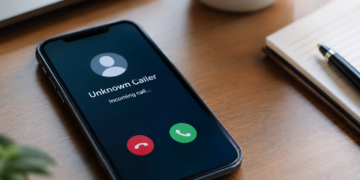


Vishing, short for voice phishing, is a social engineering attack in which a criminal calls or leaves a voicemail while posing as someone the target trusts, such as a bank, a payment processor, a supplier, an executive, or the company’s own IT help desk, then pressures that person into sharing credentials, approving a payment, or changing account details.
In a business setting, the people most likely to pick up that call are customer support agents, finance staff, and anyone with admin access to the store or its payment accounts. The most reliable defense is a team that recognizes the pressure tactics while the call is still happening and follows one simple rule: never act on an unexpected request until the caller has been verified through a separate, known channel.
What Is Vishing and How Does It Work?
Vishing is the phone-based branch of phishing. An email phish sends a message and waits for a click. A vishing attack puts a live person (or a convincing AI-generated voice) on the line who can answer questions, push back on doubts, and adjust the story in real time. That back-and-forth is what makes it effective.
Most people find it easier to ignore a suspicious email than to say no to a polite, confident caller who seems to know their name, their manager, and the tools they use every day.
In cyber security terms, vishing is usually an initial access step. The caller wants a password, one-time code, payment approval, or account change that opens the door to a larger attack, such as account takeover, a fraudulent wire transfer, or a ransomware deployment.
The Four Stages of a Vishing Attack
Most vishing calls follow the same pattern, which is why training around the pattern works better than memorizing individual scripts.
1. Research and pretext
The attacker gathers names, job titles, vendor relationships, and internal jargon from LinkedIn, company websites, past data breaches, and support pages. That research becomes the pretext: a believable reason for the call, such as a security alert, a failed payout, or a locked admin account.
2. Spoofed first contact
The call often arrives from a spoofed number that displays a real bank, carrier, or internal extension. Some campaigns open with a text message or a flood of junk email first, then call to offer help with the problem the attacker created.
3. Pressure and the ask
Once the target is engaged, the caller adds urgency (a deadline, a frozen account, an impatient executive). Then, the caller makes a specific request: read back a verification code, approve a push notification, install a remote access tool, or update bank details.
4. Cash-out
With access in hand, the attacker moves fast. They log in, register their own authentication device, change contact details, place orders with stored payment methods, or redirect a payout before anyone notices.
Why Vishing Attacks Are Rising
Vishing has grown faster than almost any other social engineering technique over the past two years. The CrowdStrike 2026 Threat Hunting Report measured a 134% increase in vishing from 2024 to 2025, and volume doubled again between the second half of 2025 and the first half of 2026.
Email passes through layers of filtering before anyone reads it, but a phone call goes straight to a person, leaves fewer traces for defenders, and often reaches employees on mobile devices that lack the protections installed on their work laptops.
AI makes the problem worse. Voice cloning tools can imitate an executive or a known vendor from a short audio sample, and the FBI’s 2025 Internet Crime Report included a section on AI-enabled fraud for the first time, logging 22,364 complaints and nearly $893 million in losses. Banks are already rethinking identity checks as AI-generated voices and faces become harder to tell apart from real ones.
Vishing vs. Phishing vs. Smishing
Vishing and smishing are the voice and text-message versions of phishing. All three share the same goal and the same psychology. What differs is the channel, and the channel changes how the attack feels to the person receiving it.
Phishing attack types reference
| Attack type | Channel | Typical lure | Why it works |
|---|---|---|---|
| Email phishing | Fake invoice, login alert, or shipping notice | Reaches millions of inboxes at almost no cost | |
| Smishing | SMS or messaging apps | Delivery problem, bank fraud alert, or one-time code request | People read texts quickly on small screens with little scrutiny |
| Vishing | Live phone call or voicemail | IT help desk, bank security team, or vendor and executive requests | A live caller can answer doubts and apply pressure in real time |
| Callback phishing | Email or text that asks the target to call a number | Fake subscription renewal, refund, or account alert | The victim dials the attacker, so the call feels self-initiated |
Source: Merchant Fraud Journal
The biggest practical difference in vishing vs. phishing scams is timing. An email can be scanned, reported, and quarantined before anyone opens it, while a phone call demands a decision in the moment. Attackers also chain channels together: a smishing text about a locked account is followed by a call from the supposed security team, or a fake invoice email lists a phone number that routes to a scammer.
Common Vishing Scams That Target eCommerce Teams
The vishing examples below are the ones most likely to reach an online merchant’s support, finance, and operations staff.
Fake IT Help Desk Calls
The caller claims to be from internal IT or a software vendor and says there is a security problem with the employee’s account. They walk the employee through verifying their identity, which in practice means reading back a one-time code or approving a multi-factor prompt.
Payment Processor and Bank Impersonation
A caller posing as the merchant’s payment processor or bank warns of suspicious activity, a pending payout freeze, or a compliance problem. To resolve it, they ask for dashboard login details or ask the employee to confirm the account by updating the payout bank account. Legitimate processors do not ask for passwords over the phone, and payout changes should never be made at a caller’s request.
Vendor and Executive Payment Requests
Business email compromise increasingly moves to the phone. An attacker sends an email that appears to come from a supplier or the CEO, then follows up with a call (sometimes using a cloned voice) to confirm a new bank account or push through an urgent wire. Business email compromise remained one of the costliest crime types in the FBI’s 2025 report, with roughly $3 billion in reported losses.
Customer Account Takeover Through the Support Line
Some vishing scams target your customers by calling your own support team. The attacker poses as a customer, supplies a name, email address, and recent order details pulled from a breach, and asks the agent to change the email, phone number, or shipping address on file. Once that change goes through, the attacker controls the account, which is a common path to account takeover fraud.
The financial damage often shows up weeks later as disputes. When the real customer spots purchases they never made, they file a fraud chargeback, and logs showing the attacker used the account do not prove the cardholder authorized anything.
Warning Signs of a Vishing Call
Training works best when employees learn a short list of red flags they can recognize mid-conversation. Many overlap with the common signs of a phishing scam, but a live call adds a few of its own:
- Unexpected urgency: the caller insists something must happen in the next few minutes or an account will be frozen, a shipment lost, or a payment missed.
- A request for a code, password, or push approval: no legitimate bank, processor, or IT team needs an employee to read back a one-time code.
- Pressure to skip normal process: the caller asks the employee to bypass a ticket, a second approver, or a call-back check because of a special circumstance.
- Caller ID offered as proof: the number looks right, but caller ID can be spoofed and confirms nothing.
- Requests to switch channels: the caller wants the employee to install remote access software, open a link sent by text, or continue on a personal phone.
- Changes to money or contact details: any request to update bank accounts, payout details, account emails, or shipping addresses.
- Resistance to a call-back: a legitimate caller accepts a call-back on a known number, while a scammer finds a reason it will not work.
How to Train Your Team to Spot Vishing
Most security awareness programs still focus on email, and that leaves a gap. The Verizon 2026 Data Breach Investigations Report found that the median click rate for phone-centric simulations (voice and text) was about 2%, compared with 1.4% for email phishing simulations, roughly 40% higher. Social engineering training that covers the phone channel closes that gap, and the steps below fit a support or operations team without turning into a compliance exercise.
1. Map Who Answers the Phone and What They Can Change
Start with an inventory. List every role that takes inbound calls or can be reached by phone, including support agents, finance and accounts payable, IT, store admins, and executives and their assistants. Note what each role can change: passwords, authentication devices, customer emails, shipping addresses, refunds, payout accounts, or vendor bank details. The roles with the most power to change things get the most frequent and most realistic training.
2. Set a Call-Back Verification Rule
Give every team one rule they can apply without judgment calls: no sensitive action on an inbound call until the request is verified through a separate, known channel. For an internal request, that means hanging up and calling the colleague back on the number in the company directory. For a vendor or processor, it means using the contact details already on file, never the number the caller provides. For customer account changes, it means sending a confirmation to the contact details on record before the change goes through.
3. Run Regular Vishing Simulations
Simulated calls show how your team behaves under pressure better than a slide deck can. A vishing simulation uses a scripted (and sometimes AI-generated) call that mimics a real pretext, such as an IT reset or a payout problem, and records whether the employee verifies, refuses, or complies. Several security awareness vendors now offer vishing simulation tools for employee training, including AI-powered options built for call center teams.
Metrics worth tracking
Track more than the failure rate. Measure how many employees used the call-back rule, how many reported the call, and how quickly the report reached security. A falling compliance rate paired with a rising report rate shows the training is working.
4. Give Employees Permission to Hang Up
Many vishing attacks succeed because employees worry about being rude to a customer or an executive. Leadership should state in writing that hanging up and calling back is always acceptable, even when the caller claims to be the CEO. Support teams also need approved wording, such as telling the caller they will call back through the number on file, so the refusal feels routine.
5. Make Reporting Fast and Blame-Free
Employees who handed over a code or approved a prompt need to report it within minutes, not days. Set up a single reporting channel (a chat channel, a hotline, or a ticket category) and treat every report as useful information. People who fear punishment stay quiet, and that silence gives an attacker time to register devices and move money.
6. Refresh Training Every Quarter
Vishing scripts change quickly, and AI voice cloning keeps raising the bar. Short quarterly refreshers built on recent real-world vishing scams keep the red flags current. Teams that want formal credentials can also review MFJ’s guide to fraud prevention training and certifications.
Vishing Prevention Controls That Back Up Training
Training lowers the odds that an employee falls for a call. Technical and process controls limit the damage when someone does:
- Phishing-resistant authentication: hardware keys and passkeys cannot be read aloud over the phone the way a one-time code can, and MFJ’s explainer on multi-factor authentication covers the options.
- Alerts on new devices and contact changes: a new authentication device or a changed admin email is often the first visible sign that a vishing call succeeded.
- Dual approval for money movement: require a second person to approve payout account changes, vendor bank updates, and large refunds.
- Locked-down account recovery: support agents should not be able to reset passwords or change customer emails without a verification step the caller cannot talk their way around.
- Order review after account changes: flag orders placed shortly after an email, phone, or shipping address change and review them before fulfillment.
These controls sit alongside the eCommerce fraud prevention best practices most merchants already follow. Used together, they create layered protection that catches fraud earlier without adding unnecessary friction for legitimate customers.
Start Treating Every Unexpected Call as Unverified
Vishing works because a confident voice on the phone feels more trustworthy than an email, and attackers are now using that advantage at scale.
Start this week by listing who on your team can change passwords, payouts, or customer details, then give each of them a written call-back rule and explicit permission to hang up. Run a vishing simulation within the next quarter, measure who verifies and who reports, and back the training with alerts on new devices and dual approval for money movement. Teams that practice saying they will call back on a known number are much harder to scam than teams that only know what a phishing email looks like.
Frequently Asked Questions
What is vishing in cybersecurity?
Vishing is a social engineering attack that uses phone calls or voicemail to trick people into revealing credentials, approving payments, or changing account details. Security teams treat it as an initial access technique because a single successful call can lead to account takeover, fraud, or a wider network breach.
What do vishing and smishing refer to?
Vishing refers to voice phishing carried out through phone calls or voicemail, while smishing refers to phishing through SMS or messaging apps. Both impersonate trusted organizations to steal information or money, and attackers often combine them in the same scam.
How does vishing work?
An attacker researches the target, calls from a spoofed or convincing number with a believable pretext, and pressures the person into sharing a code, password, or payment approval. The attacker then uses that access quickly, often before the victim realizes anything is wrong.
What is a common tactic used in vishing attacks?
Impersonating IT support or a bank's security team is one of the most common tactics, usually paired with an urgent warning about a locked account or suspicious activity. The caller then asks the target to read back a one-time code or approve a login prompt.
How do you identify a vishing call?
Warning signs include unexpected urgency, requests for codes or passwords, pressure to skip normal procedures, and resistance to being called back on a known number. Caller ID cannot confirm identity because attackers can spoof it.
How can businesses prevent vishing attacks?
Businesses can prevent vishing attacks by training employees with realistic call simulations and enforcing a rule that every sensitive request is verified through a separate, known channel. Phishing-resistant authentication, dual approval for payment changes, and alerts on new device registrations limit the damage if a call succeeds.

Charity Amancio
Charity Amancio specializes in SaaS solutions for global eCommerce businesses, including payments and risk management applications. She bridges the gap between technology and merchant needs, offering practical perspectives on the tools shaping eCommerce. Her insights appear regularly in B2B publications covering the digital commerce space.