

Phishing scams have become one of the most common ways criminals steal personal information, drain bank accounts, and hijack online identities. These attacks rely on convincing people to click a link, open an attachment, or hand over sensitive details before they have time to think twice.
The good news is that most phishing attempts, even the sophisticated ones, share recognizable patterns. Learning to spot these patterns is one of the simplest and most effective ways to protect yourself. Even sophisticated attacks leave telltale signs if you know where to look.
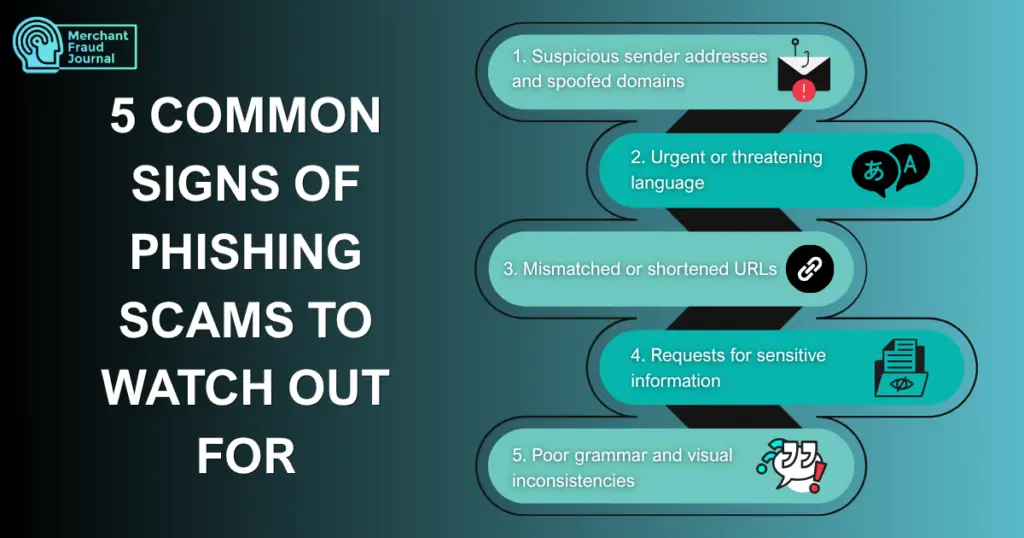
1. Suspicious Sender Addresses and Spoofed Domains
Email addresses are one of the easiest things for phishing scams to fake, and one of the easiest things for a careful reader to check. A message might look like it comes from a bank, a delivery service, or a coworker, but the actual address behind the display name often tells a different story. Before trusting any message, it helps to slow down and look closely at where it actually came from.
Attackers use lookalike domains such as amazn.com or support@bankofamerica.secure-login.com to trick people into thinking a message is legitimate. Hover over sender names to reveal the actual email address. Legitimate companies send from their official domains, not random strings of characters.
Taking the extra few seconds to verify a sender’s domain can prevent a costly mistake. Once you get in the habit of checking this detail, spotting a fake sender becomes second nature and a first line of defense against this type of eCommerce fraud.
2. Urgent or Threatening Language
Scammers know that people under pressure make faster, less careful decisions, so urgency is one of their favorite tools. A message that pushes you to act immediately is often designed to short-circuit your usual instinct to pause and verify. Recognizing this tactic for what it is can stop an attack before it even gets started.
Pressure tactics are a hallmark of phishing: “Your account will be suspended in 24 hours,” “Immediate action required,” “Failure to respond will result in legal action.” Legitimate organizations rarely demand instant action via email.
Whenever a message tries to rush you, treat that urgency itself as a warning sign. Taking a moment to breathe and verify independently is almost always the safer choice.
3. Mismatched or Shortened URLs
Links are the delivery mechanism for most phishing attacks, and they are also one of the most reliable places to spot a scam. What a link displays and where it actually leads can be two very different things, and scammers count on most people not checking. A quick habit of previewing links before clicking can close off this common attack path.
Hover over links before clicking to preview the actual destination. Shortened URLs (bit.ly links) and mismatched link text, where the displayed text doesn’t match the actual URL, are red flags.
Getting comfortable with previewing links takes only a second but adds a meaningful layer of protection. It is a small habit that can stop a malicious click before it happens.
4. Requests for Sensitive Information
No matter how official a message looks, requests for sensitive personal data should always raise suspicion. Banks, government agencies, and reputable companies have secure channels for handling this kind of information and rarely, if ever, rely on email or text to collect it. Understanding this distinction makes it much easier to recognize when something is off.
Legitimate organizations, especially merchants with high-risk transactions, never ask for passwords, Social Security numbers, or full credit card numbers via email or text. If a message asks for this kind of information, treat it as a major red flag regardless of how convincing the rest of the email looks. When in doubt, contact the organization directly through a verified channel instead of responding.
5. Poor Grammar and Visual Inconsistencies
Even well-crafted phishing attempts often contain small imperfections that give them away. Because scammers are working quickly and at scale, details like wording, formatting, and image quality can slip through the cracks. Paying attention to these visual and textual cues is often the fastest way to catch a fake.
Spelling errors, awkward phrasing, low-resolution logos, and formatting that doesn’t match legitimate company communications all signal potential phishing.
Together, these small inconsistencies can be just as telling as a suspicious link or an urgent subject line. Trusting that instinct when something feels visually or grammatically off is a valuable skill worth developing.
Quick-reference checklist:
- Check the sender: Hover to reveal the actual email address behind display names
- Inspect links: Preview URLs before clicking, and look for misspellings and unusual domains
- Question urgency: Legitimate companies give reasonable timeframes for action
- Verify independently: Call using a number from the official website, not the email
Recognizing these five signs together builds a strong foundation for spotting phishing attempts before they cause harm. The more of these red flags a message shows, the more caution it deserves. Building this awareness into a habit is one of the most effective ways to keep your information safe.
What To Do If You Receive a Phishing Message
Spotting a phishing attempt is only half the battle. What you do next determines whether the scam ends there or gets a chance to succeed, becoming a credit card fraud, for example. Fortunately, the right response is straightforward and doesn’t require any special technical skill, just a bit of restraint and a few careful steps.
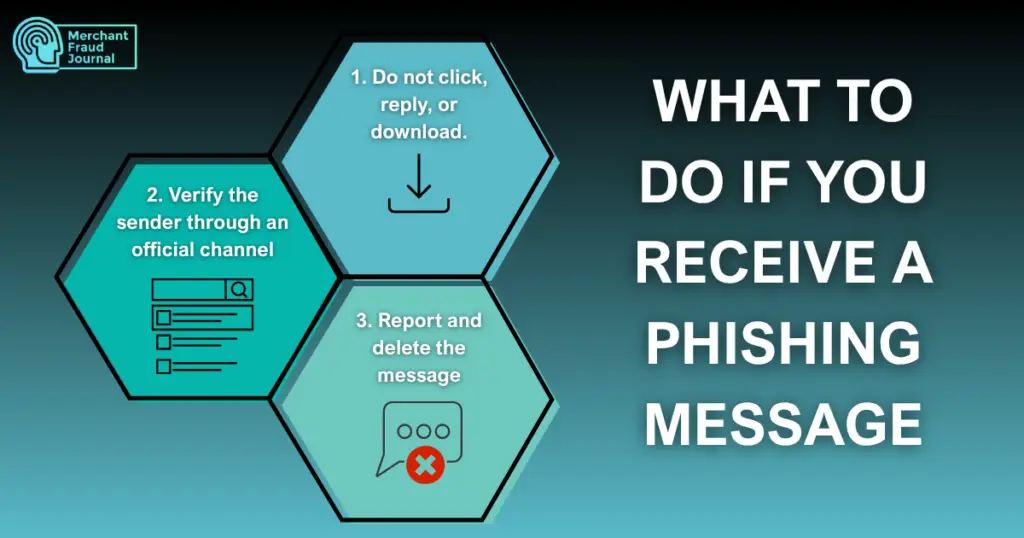
1. Do not click, reply, or download
The safest response to a suspicious message is also the simplest: don’t interact with it at all. Avoid all interaction with the message. Don’t click links, open attachments, or reply, even to unsubscribe. Any engagement confirms your address is active.
2. Verify the sender through an official channel
If you want to confirm whether a message is legitimate, don’t use any information contained in the message itself. Contact the organization directly using contact information from their official website. Never use phone numbers or links provided in the suspicious message itself.
3. Report and delete the message
Once you’ve confirmed a message is suspicious, reporting it helps protect others as well. Use your email provider’s built-in “Report Phishing” feature, then permanently delete the message.
Following these three steps consistently turns a potential threat into a non-event. It takes only a minute or two, but that small effort helps keep both you and the broader community safer from phishing attempts.
What To Do if You Fell for a Phishing Scam
Falling for a phishing scam can feel alarming, but acting quickly and methodically can significantly limit the damage. The goal in this situation isn’t to panic, but to follow a clear set of recovery steps as quickly as possible. If you’ve already clicked a link or entered information, act quickly. The faster you respond, the more damage you can prevent.
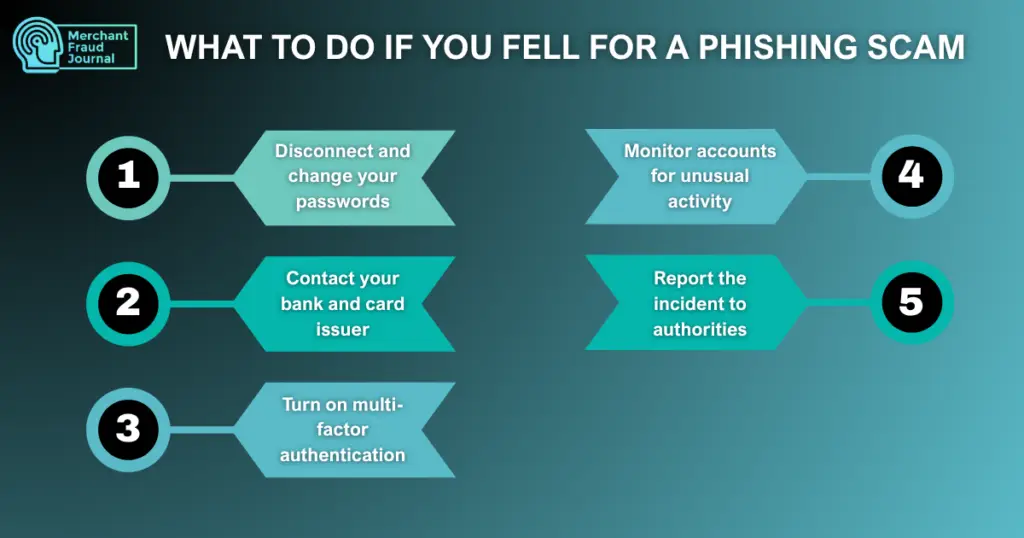
1. Disconnect and change your passwords
The first priority is cutting off any ongoing access an attacker might have. If malware may have been installed, disconnect from the internet immediately. Change passwords for any compromised accounts and any accounts using the same password.
2. Contact your bank and card issuer
Financial accounts are often the primary target of phishing scams, so they need immediate attention. Report potential fraud immediately. Request new cards, freeze accounts if necessary, and dispute any unauthorized transactions.
3. Turn on multi-factor authentication
Multi-factor authentication (MFA) requires a second form of verification, like a code sent to your phone or generated by an app, in addition to your password. This extra step can stop an attacker in their tracks even if they’ve already obtained your login credentials through a phishing scam. Add this protection layer to all sensitive accounts. Even if attackers have your password, MFA provides a critical secondary barrier.
4. Monitor accounts for unusual activity
Strengthening your accounts after an incident helps prevent a repeat attack. Recovery doesn’t end once the immediate danger has passed; ongoing vigilance matters too. Check bank statements, credit reports, and account activity regularly for weeks following the incident. Set up transaction alerts for real-time notifications.
5. Report the incident to authorities
Beyond protecting your own accounts, reporting the incident helps track and combat broader scam activity. File reports with the FTC at reportfraud.ftc.gov and the FBI’s Internet Crime Complaint Center.
Recovering from a phishing scam is a process, not a single action, and each of these steps builds on the last to close off further damage. While the experience can be stressful, moving through these steps methodically puts you back in control and reduces the chances of lasting harm.
How To Report Phishing Scams
Phishing scams are designed to trick you into handing over sensitive information, but spotting one is only half the battle. Reporting it matters just as much, since it helps organizations track scam patterns, shut down malicious accounts, and warn others before they become victims too. Here are three places you should consider sending a report.
Reporting to the FTC and APWG
National organizations track phishing trends and use reports to warn others and pursue enforcement. Forward phishing emails to reportphishing@apwg.org and file reports at ReportFraud.ftc.gov.
Reporting to your email provider
Your email provider can use reports to improve spam filtering and automatically protect other users. Use built-in reporting features, such as Gmail’s “Report phishing” or Outlook’s “Report message,” to flag suspicious emails.
Reporting to the impersonated brand
Companies that are frequently impersonated often have dedicated teams watching for these reports. Many companies maintain dedicated phishing report addresses, such as phishing@paypal.com or abuse@amazon.com.
Taking a few extra minutes to report a phishing attempt, through the FTC, your email provider, or the impersonated brand, adds real value beyond your own inbox. These reports feed into larger efforts to identify scam campaigns and protect other potential victims, making the internet a little safer for everyone.
The Anti-Phishing Working Group recorded approximately 3.8 million phishing attacks globally in 2025, according to its Q4 2025 report. Given this scale, reporting a phishing attempt isn’t just a personal safeguard, it’s a small but meaningful contribution to a much larger fight against these scams.
With millions of new phishing attempts appearing every year, no single report will stop the problem on its own, but collectively, these reports help build the data that powers takedowns, blocklists, and public warnings. The next time a suspicious email lands in your inbox, taking a moment to report it is one of the simplest ways to push back against a threat that shows no signs of slowing down.
Building Lasting Habits Against Phishing
Phishing scams will keep evolving, but the core defense stays the same: slow down, verify before you act, and know what to do if something slips through. Responding in the moment, recovering from a mistake, and reporting an attempt to the right people, add another layer of protection for yourself and everyone else who might otherwise be targeted next. The more these habits become second nature, the harder it gets for scammers to succeed.
Frequently Asked Questions
What is the difference between phishing and other types of email scams?
Phishing specifically involves tricking someone into revealing sensitive information or credentials, often by impersonating a trusted source. Other scams may focus on direct payment requests or malware delivery without necessarily seeking personal data.
How should recipients check if a link in an email is safe?
Hover over the link without clicking to preview the actual destination URL. If the displayed text doesn't match the real link, or the URL looks unfamiliar or shortened, treat it as a red flag.
What is the next best step to do if a phishing link was accidentally clicked?
Disconnect from the internet if malware may have been installed, and change your passwords immediately, especially for accounts using the same credentials. Contact your bank if financial information was involved, and monitor your accounts closely for unusual activity.

Charity Amancio
Charity Amancio specializes in SaaS solutions for global eCommerce businesses, including payments and risk management applications. She bridges the gap between technology and merchant needs, offering practical perspectives on the tools shaping eCommerce. Her insights appear regularly in B2B publications covering the digital commerce space.
