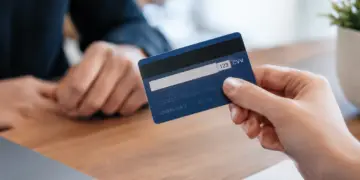


A card verification value (CVV) check asks an online shopper for the three- or four-digit security code printed on their card and has the card issuer confirm that the code matches. A match tells the merchant that the person at checkout most likely has the physical card in hand, because the printed code is not encoded on the magnetic stripe or chip and merchants are not allowed to store it after authorization.
The check costs almost nothing to run and stops fraud that relies on stolen card numbers alone. It does not stop fraudsters who capture the full card details through phishing or digital skimming, and it does little against automated card testing, so merchants get the most from it as one signal inside a layered fraud strategy. Learn more about CVV as you read on.
What Is a Card Verification Value?
A card verification value is a short security code printed on a payment card and used to verify card-not-present transactions such as eCommerce, phone, and mail orders. Visa, Mastercard, Discover, and JCB print a three-digit code on the back of the card. American Express prints a four-digit code on the front.
Each network uses its own name for the code, which is why shoppers see different labels at checkout. Visa calls it CVV2, Mastercard calls it CVC2 (the term behind most searches for a “CVC code”), and American Express calls it the CID. The PCI Security Standards Council groups all of them under the term card verification code. Whatever the label, the CVV code, CVV number, and security code all refer to the same printed digits.
CVV vs CVV2: What Is the Difference?
Most questions about CVV vs CVV2 come from the fact that a card carries more than one verification value. The original CVV (sometimes called CVV1) is encoded in the magnetic stripe and checked when a card is swiped in a store. CVV2 is the separate value printed on the card for remote purchases. Chip cards also generate a dynamic value for in-person transactions. When a merchant runs a CVV check online, it is checking CVV2, the printed code.
How a CVV Check Works During Checkout
The shopper types the code into the payment form, and the merchant’s gateway passes it to the acquirer along with the card number, expiry date, and amount. The acquirer routes the authorization request through the card network to the issuer, which compares the submitted code against the value it generated for that card. The issuer then returns a CVV result code alongside its approved or declined decision.
The merchant never verifies the code itself. Only the issuer holds the information needed to confirm it, which is also why a CVV verification result can only be obtained through an authorization or an account verification request.
CVV Result Codes Merchants Should Know
Processors pass back a one-letter result that tells the merchant how the issuer handled the code. The codes below are the common ones listed in Chase Merchant Services’ card verification code guide, though exact codes can vary by processor.
CVV response code reference
| Code | Meaning | Suggested merchant action |
|---|---|---|
| M | Code matches (Visa, Mastercard, Discover) | Proceed with the rest of your fraud checks |
| N | Code does not match | Decline or ask the shopper to re-enter, with a strict retry limit |
| P | Not processed | Rely on other risk signals or send to manual review |
| S | Code should be on the card but was not submitted | Fix the checkout form so the code is always sent |
| U | Issuer unable to process the code | Rely on other risk signals or send to manual review |
| Y | Code matches (American Express) | Proceed with the rest of your fraud checks |
What a CVV2 declined message means
Some issuers do not just flag a mismatch. They decline the authorization outright. On Visa, this shows up as response code N7, “Decline for CVV2 failure.” A shopper who sees a CVV2 declined message has most likely mistyped the code, but a burst of N7 declines across many different cards is a classic sign of a bot guessing codes.
Why Merchants Cannot Store the Code
PCI DSS classifies card verification codes as sensitive authentication data. According to the PCI Security Standards Council FAQ, merchants may collect the code before authorizing a specific purchase but may not keep it afterward, including for card-on-file or recurring payments. A customer’s permission to save the code does not change this. That rule is the reason subscription renewals and one-click repeat purchases run without a CVV check.
What a CVV Check Stops and What It Misses
A CVV check is one of the simplest fraud controls an eCommerce merchant can run, but it only answers one question: does the person at checkout have the three- or four-digit code printed on the card? That makes it effective against fraudsters working from stolen card numbers alone, and much weaker against anyone who has captured the full card details, including the code itself.
Knowing where that line falls helps merchants decide how much weight to give a CVV match and which other signals they need alongside it.
Where CVV Verification Works
Because compliant merchants never store the code, card numbers stolen from merchant databases often arrive on criminal markets without it. A CVV check blocks stolen data from being used at your checkout. That matters because card-not-present fraud is where most card fraud now happens. The Nilson Report’s 2024 card fraud data, released in January 2026, put worldwide payment card fraud losses at $33.41 billion, with US-issued cards accounting for 41.87% of global losses. Nilson has said US losses come mainly from card-not-present transactions.
Where It Falls Short
A CVV check verifies knowledge of the code, not the identity of the person typing it. Several common fraud patterns get straight through it.
- Phishing, fake checkout pages, and digital skimming scripts capture the code at the same moment as the card number, so the fraudster submits a correct code.
- Card testing bots can guess the code. A 2016 Newcastle University study found that a three-digit code can be guessed in fewer than 1,000 attempts when the guesses are spread across many websites. Visa data reported in 2024 put enumeration attack losses at about $1.1 billion a year.
- Friendly fraud passes every time, because the real cardholder enters the real code and disputes the charge later. A CVV match does little to help you fight friendly fraud chargebacks.
- A matching code does not shift fraud liability to the issuer. That protection comes from issuer authentication such as EMV 3DS authentication.
How to Use a CVV Check in Your Fraud Strategy
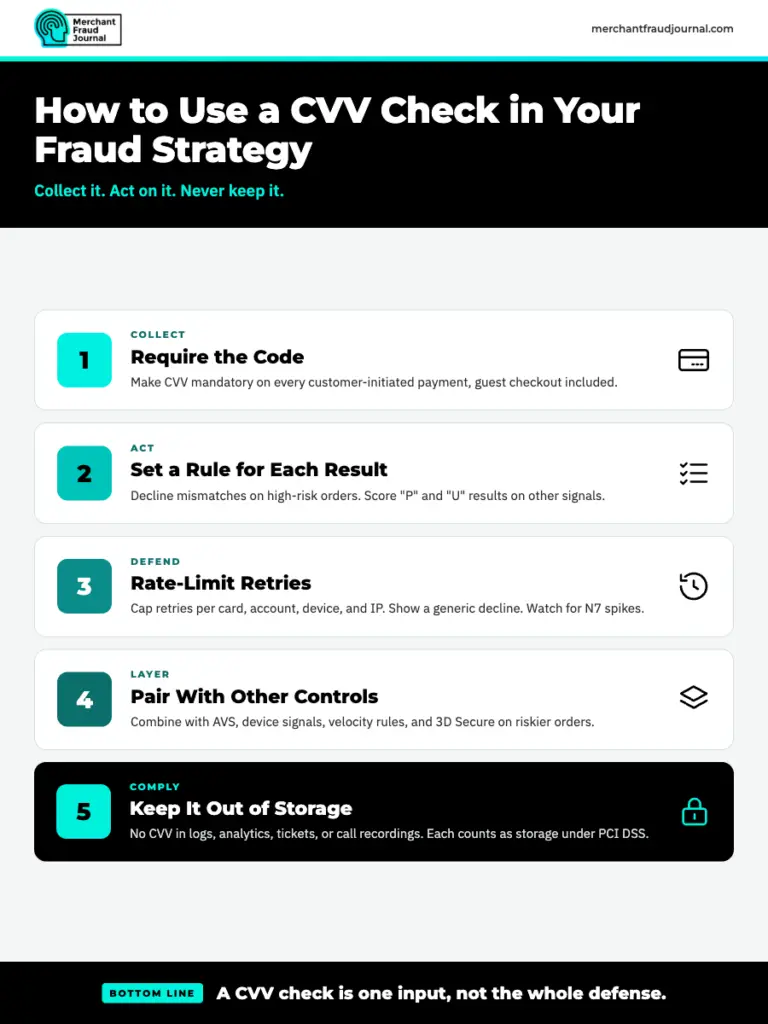
A CVV check only helps if your checkout collects the code, your rules act on the result, and your systems never keep the data afterward. The steps below cover how to require the code, respond to each result, slow down card testing, combine the check with other signals, and keep the code out of your records so it stays compliant with PCI DSS.
1. Require the Code on Every Customer-Initiated Card Payment
Make the security code a required field for every first-time and customer-initiated card payment, including guest checkout. Sending it on every eligible transaction also prevents “S” results caused by a form that drops the field.
2. Set a Rule for Each Result Code
Decide in advance what happens on each result rather than leaving it to processor defaults. A mismatch on a high-risk transaction should usually end in a decline. “P” and “U” results tell you nothing about the shopper, so score those orders on your other signals.
3. Rate-Limit Retries to Blunt Card Testing
Limit how many times a single card, account, device, or IP address can retry a failed code within a set window. Show a generic decline message instead of telling the shopper which field was wrong, since naming the field helps a bot narrow its guesses. Watch for spikes in small authorizations and N7 declines, which often show up alongside wider bot attacks on online retailers.
4. Pair the CVV Check With Other Controls
Treat the CVV check as one input. Combine it with address verification, device and behavioral signals, velocity rules, and 3D Secure on riskier orders. MFJ’s merchant fraud protection guide and its advice on how to prevent credit card fraud cover how these layers fit together.
5. Keep the code out of logs and storage
Check that the security code never lands in application logs, analytics tools, support tickets, or call recordings. Each of those counts as storage under PCI DSS, even if nobody meant to keep the data.
Treat the CVV Check as Your First Filter, Not Your Last
A card verification value check is the cheapest fraud control most merchants have, and every card payment form should use it. It confirms that the shopper has seen the card, and it filters out fraud built on numbers alone. It cannot confirm who the shopper is, and it gives no liability protection. Require the code, set clear rules for each result, cap retries, and back the check with device signals and issuer authentication so the fraud it misses gets caught further down the line.
Frequently Asked Questions
Is the CVV the same as the security code?
Yes. CVV, CVV2, CVC, CVC2, CID, and security code are network-specific names for the same printed code used in card-not-present payments.
What does CVV2 declined mean?
It means the issuer declined the transaction because the security code entered did not match its records. A single decline usually points to a typo, while many declines across different cards can signal a card testing attack.
Can merchants store the CVV for recurring payments?
No. PCI DSS prohibits storing card verification codes after authorization, including for card-on-file and recurring transactions, even if the customer agrees.
Do virtual credit cards have a CVV?
Yes. Virtual cards come with their own card number, expiry date, and security code, and some issuers generate a new code periodically or for each purchase.
How can a merchant check if a CVV is valid?
Only the card issuer can confirm a security code, so the merchant learns the result through an authorization or account verification request. The processor returns a result code such as M for a match or N for a mismatch.

Charity Amancio
Charity Amancio specializes in SaaS solutions for global eCommerce businesses, including payments and risk management applications. She bridges the gap between technology and merchant needs, offering practical perspectives on the tools shaping eCommerce. Her insights appear regularly in B2B publications covering the digital commerce space.
