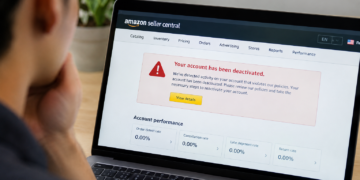


Your Amazon Seller account is worth more to fraudsters than you might think. A single compromised account can net thousands in redirected payouts, and most sellers don’t realize they’ve been hacked until the money is already gone.
The warning signs are often subtle, easy to dismiss as glitches or routine notifications. Below, we break down the six red flags that indicate your account has been taken over and what to do the moment you spot one.
1. Sudden Login or Password Changes You Didn't Make
A compromised account often announces itself through login activity you don’t recognize. Fraudsters who gain access typically change credentials immediately to lock you out while they work, so strange login patterns are usually the first clue that something is wrong.
Amazon logs IP addresses and approximate locations for each sign-in to Seller Central. A login from a country you’ve never visited, or a device type you don’t own, is worth investigating right away.
Unfamiliar devices or locations on your login history
Amazon’s login history shows the device type, operating system, and rough geographic location of each session. If you see a Windows desktop login from Eastern Europe while you’re running your business from a MacBook in Texas, someone else has your credentials.
Checking this history weekly takes only a few minutes. During high-volume seasons like Q4, checking every few days is even better. The sooner you spot an anomaly, the faster you can act.
Password reset emails you never requested
A password reset email you didn’t ask for means someone is actively trying to take over your account. Even if they haven’t gotten in yet, they have your email address and are testing whether they can.
Many of these attempts start with phishing scams designed to look like Amazon’s own security emails, so treat everyone as an early warning, not spam. Review your account security settings, change your password, and turn on Two-Step Verification if you haven’t already.
2. Your Payout or Bank Details Have Changed Without Your Knowledge
Redirecting payouts is the fastest way for a fraudster to monetize a stolen seller account. If your scheduled disbursement is missing or you receive an alert that banking information was recently updated, check your payment settings immediately.
Hackers often swap in their own bank account details. The only sign may be a routine payment settings update email that’s easy to miss in a busy inbox. This is a common pattern in eCommerce merchant fraud: the attacker leaves the legitimate business running and quietly reroutes the money.
How fraudsters redirect seller payouts
The typical attack follows a predictable pattern. First, the fraudster gains access through phishing, credential stuffing, or a compromised email account. Then they navigate to your payment settings and swap your bank details for their own.
Legitimate vs. fraudulent account changes
| Legitimate Account Change | Fraud Pattern |
|---|---|
| You initiate the change from a known device | Change originates from unfamiliar IP or device |
| You receive and verify a confirmation email | Confirmation email is deleted or redirected |
| Payout timing remains consistent | Payout schedule may be accelerated to extract funds faster |
| Bank details match your business records | Bank details point to an unrelated account, often in a different country |
Source: Merchant Fraud Journal
Some attackers also add a secondary email address to the account so they can intercept verification codes. If your payout is late or missing, don’t wait for Amazon to notify you. Log in and verify your banking details manually.
3. Listings You Didn't Create or Edit Appear on Your Account
Bad actors frequently modify existing product pages or create entirely new listings under your seller account. They might change titles, descriptions, images, or slash prices dramatically to liquidate inventory quickly, often inventory that doesn’t exist.
Look for sudden edits in your catalog that you didn’t make. A price drop from $49.99 to $4.99 on a best-seller is a classic sign that someone is trying to generate rapid sales before you notice.
Prices slashed on high-demand items
Fraudsters target your highest-velocity products because those listings already have traffic and reviews. A steep discount triggers a flood of orders, and the attacker either pockets the revenue (if they’ve redirected payouts) or uses the chaos to damage your account standing.
Counterfeit or nonexistent inventory sometimes gets listed under your account as well. The fraudster collects payment for items they never intend to ship, leaving you to deal with the chargebacks, A-to-Z claims, and angry customers.
Tip: Set up listing change alerts through Amazon’s notification settings or a third-party monitoring tool. Automated alerts can catch unauthorized edits within minutes instead of days.
4. A Spike in Buyer Complaints or Unfulfilled Orders
A sudden wave of negative feedback, A-to-Z Guarantee claims, or messages about orders you don’t recognize often means someone else is running your account. Hackers sometimes use compromised seller accounts for side scams, such as messaging buyers directly or filling orders with counterfeit goods. These tactics overlap with other common types of eCommerce fraud, including triangulation schemes.
Check your customer messages for unusual responses, strange order inquiries, or complaints about items you don’t sell. If buyers are asking about products that aren’t in your catalog, someone may be listing phantom inventory under your name.
Orders for products you never shipped
When fraudsters list nonexistent products, orders pile up that you have no way to fulfill. Each unfulfilled order damages your seller metrics and can trigger automatic account restrictions.
Review your order history daily during any period of unusual activity. Orders for SKUs you don’t recognize, or shipping addresses that don’t match your typical customer base, are worth investigating immediately.
5. Unexpected Account Restriction or Verification Required Notices
If a hacker violates Amazon policies using your credentials, Amazon may restrict or suspend your account without warning. You might wake up to a “Your selling privileges have been removed” email with no clear explanation of what happened.
Check your Performance Notifications immediately for any policy warnings or sudden lockouts. Amazon’s automated systems don’t distinguish between you and a fraudster. They only see the policy violation.
Locked out with no clear explanation
A suspension that seems to come out of nowhere is often the result of fraudulent activity you weren’t aware of. The attacker may have listed prohibited items, manipulated reviews, or engaged in other behavior that triggered Amazon’s enforcement systems.
Document everything before you contact Seller Support. Screenshots of your login history, payment settings, and any unauthorized changes will help you make the case that your account was compromised rather than that you violated policies intentionally.
6. Security Alerts or Two-Factor Codes You Didn't Trigger
A two-factor authentication prompt you didn’t request is a clear signal that someone is attempting to access your account right now. They already have your password. The 2FA code is the only thing standing between them and full control.
Don’t dismiss these alerts as glitches. Each one is an active intrusion attempt. Adding multi-factor authentication to every account tied to your business, including the email linked to Seller Central, closes that gap. Amazon’s Two-Step Verification FAQ explains the setup options, including authenticator apps.
What a 2FA prompt you didn't request actually means
When you receive a 2FA code via text or authenticator app without initiating a login, someone has entered your correct username and password. They’re waiting for that code to complete the takeover.
Change your password immediately, before the attacker finds a way around the second factor. If you use the same password on other accounts like email, banking, or other marketplaces, change those too. Credential stuffing attacks rely on password reuse, and a breach on one platform often cascades to others.
Why Fraudsters Target Amazon Seller Accounts
A seller account gives an attacker three things at once: a payout stream, a catalog that already has traffic and reviews, and a selling history that Amazon’s systems already trust. This is account takeover fraud aimed at the business side of the marketplace rather than at shoppers, and it almost always starts with stolen login credentials.
Stolen credentials are easy to come by. The FBI’s 2025 Internet Crime Report logged more than one million complaints, and phishing and spoofing were among the most frequently reported types. Verizon’s 2026 Data Breach Investigations Report found credential abuse in 39% of breaches once the full attack chain is considered. Criminals who don’t want to break in themselves can buy access through Fraud-as-a-Service marketplaces.
What to Do If Your Amazon Seller Account Is Hacked
Speed matters. The longer a fraudster has access, the more damage they can do to your payouts, listings, metrics, and standing with Amazon. If you spot any of the warning signs above, take these steps in order:
- Change your password from a device you trust.
- Turn on or reset Two-Step Verification, using a new phone number or authenticator app if needed.
- Review and reverse any unauthorized changes to bank details and listings.
- Remove unfamiliar users in your account’s User Permissions settings.
- Contact Amazon Seller Support to report the compromise and ask for a security review.
- Take screenshots of everything for your records and any future dispute.
Long-term Amazon seller account protection comes from turning these checks into a habit. Fold them into your broader merchant fraud monitoring routine. Account takeovers are among the eCommerce fraud trends that keep growing, so these checks will only become more important.
Lock Down Your Seller Account Before Fraud Spreads
Every warning sign above traces back to the same thing: someone else holding your login credentials. Set aside a few minutes each week to review your login history, payment settings, and listing catalog, and keep Two-Step Verification active on your seller account and linked email. That small time investment can save you weeks of recovery work, lost payouts, and damaged metrics if an attacker ever gets in.
Frequently Asked Questions
Who is responsible for fraudulent orders if a seller account is hacked?
Liability typically falls on the seller under most marketplace terms of service, though some platforms offer partial protection for verified account takeover cases. Sellers who file a report immediately and provide documentation of the breach have the best chance of recovering losses.
How long does it typically take to recover a hacked marketplace seller account?
Recovery timelines vary widely, from a few days to several weeks, depending on how quickly the platform's fraud team verifies the takeover. Delays are common when payout details or linked bank accounts were also changed.
Does Amazon reimburse sellers for losses caused by a compromised account?
Amazon evaluates these cases individually, and reimbursement isn't guaranteed, especially if the seller's own credentials or device security contributed to the breach. Fast reporting and thorough documentation improve the odds of recovery.
Can a hacked seller account permanently damage my account health or performance metrics?
Yes, fraudulent orders, cancellations, and policy violations committed during a takeover can still count against seller performance metrics unless successfully disputed. Sellers often need to petition the marketplace directly to have those metrics corrected.
What's the difference between a suspended seller account and a compromised one?
A suspension is a platform-initiated action for a policy violation, while a compromise means an unauthorized party gained access and control. The two can look similar from the outside, since a hacked account often gets suspended as a side effect once the platform detects the fraud.
Does two-factor authentication stop seller account takeovers?
Two-factor authentication blocks most credential-stuffing and phishing-based takeover attempts by requiring a second verification step the attacker doesn't have. It isn't foolproof against more sophisticated attacks like session hijacking, but it closes off the most common attack vector.

Charity Amancio
Charity Amancio specializes in SaaS solutions for global eCommerce businesses, including payments and risk management applications. She bridges the gap between technology and merchant needs, offering practical perspectives on the tools shaping eCommerce. Her insights appear regularly in B2B publications covering the digital commerce space.
