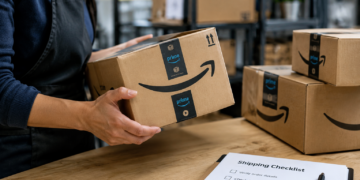


Amazon scams cost shoppers and sellers money every day, and the tactics keep shifting: fake refund notices, phishing emails that mimic Amazon’s branding almost perfectly, phone calls claiming a device was added to your basket, and schemes that go after seller accounts rather than buyers. The short answer is that Amazon will never ask for payment, account verification, or personal information through an unsolicited call, text, or email, and any message that does is a scam.
The rest of this guide breaks down the specific scams in circulation right now, who each one targets, and how to verify a message before acting on it.
How Amazon Scams Work
Most Amazon scams follow the same basic structure. A scammer impersonates Amazon or a legitimate third-party seller, creates a sense of urgency around an account, order, or refund, and pushes the target toward a fake login page, a phone call, or a payment request outside Amazon’s platform. Email remains the most common delivery method, followed by text messages and phone calls that spoof Amazon’s name on caller ID.
What makes these scams effective is how closely they copy Amazon’s real communications. Scam emails reuse Amazon’s logo, color scheme, and order-confirmation layout, and scam phone calls often reference real order numbers pulled from data breaches elsewhere. Recognizing the pattern behind the scam matters more than recognizing any single email or call script, since the specific wording changes constantly.
Common Amazon Scam Types at a Glance
The table below breaks down the scams covered in this guide side by side, so it is easy to scan which ones target shoppers, which target sellers, and what red flag gives each one away.
| Scam Type | How It Works | Who It Targets | Red Flag to Watch For |
|---|---|---|---|
| Phishing email or text | A message mimics Amazon branding and links to a fake login page that captures credentials | Shoppers and sellers | Sender domain is not @amazon.com, link does not go to amazon.com |
| Fake refund or overcharge notice | A message claims a refund is owed or a card was overcharged, then asks the target to verify payment details to claim it | Shoppers | Legitimate Amazon refunds appear automatically in the account, with no action required |
| Off-platform payment request | A seller lists an item on Amazon, then asks the buyer to pay by gift card, wire transfer, or a peer-to-peer app outside Amazon's checkout | Shoppers | Any payment request that bypasses Amazon checkout voids buyer protection |
| Amazon brushing scam | A third party ships unordered items to a real address using a seller's or a stranger's name, then uses the resulting fake order to post a verified review | Sellers and private individuals | An unexpected package arrives with no matching order history |
| Amazon account takeover | Stolen or phished credentials are used to log in to a seller or buyer account, change payout or shipping details, and redirect funds or orders | Sellers and shoppers | Login alerts, password reset emails, or payout changes the account owner did not request |
| Fake Amazon support call | A caller claims to be from Amazon support, references a real-sounding order or security issue, and asks for remote access to the target's device | Shoppers and sellers | A request to install remote-access software or read back a one-time passcode |
| Prime or subscription renewal scam | A message warns that Prime is about to expire or renew at a higher price and links to a fake payment page | Shoppers | Amazon never asks for payment details through a renewal email or text link |
Each of these scams relies on the same pressure point–urgency paired with a request that only makes sense if the target skips verifying it through Amazon directly. The two sections below separate the scams by who they typically target, since the warning signs and the stakes differ for shoppers and for merchants.
Scams That Target Amazon Shoppers
Amazon scams aimed at shoppers generally try to extract either payment information or account credentials, usually by creating a problem that seems to need an immediate fix. Knowing what these schemes look like makes them much easier to spot, so here are some of the most common ones to watch for.
Amazon Phishing Email and Text Scams
An Amazon phishing email typically opens with an alarming subject line: an account suspension, a locked account, or a failed delivery that needs action required. The email mimics Amazon’s logo and layout, and the sender address often substitutes characters to look legitimate at a glance, such as a zero in place of the letter “o.” The link inside leads to a lookalike site built to capture the login credentials entered there.
Fake Refund and Overcharge Claims
A fake Amazon refund message claims the shopper is owed money, was double-charged, or needs to confirm banking details to release a payment. Genuine Amazon refunds post automatically to the account and never require the customer to unlock or verify anything through an outside link.
Off-Platform Payment Requests
Some scam sellers list real-looking products at steep discounts, then ask the buyer to complete payment through a P2P app, wire transfer, or gift card instead of Amazon’s checkout. The moment a payment leaves Amazon’s platform, Amazon’s buyer protections no longer apply, and the product typically never ships.
Scams That Target Amazon Sellers and Merchants
Amazon seller scams work differently from shopper-facing scams because the target is the business itself: its account, its inventory, or its reputation as a seller. These scams matter for fraud and risk teams even outside Amazon, since the same tactics (credential phishing, fake support calls, account takeover) show up against sellers on other marketplaces too.
Amazon Brushing Scams
An Amazon brushing scam happens when a third party ships low-cost, unordered items to a real name and address using stolen or fabricated account details, then uses that fake transaction to post a verified purchase review. Sellers on Amazon sometimes run brushing schemes themselves to inflate ratings, while unrelated individuals can also receive brushed packages tied to compromised personal data elsewhere. Either way, the appearance of an unordered package with no matching order is the signal to investigate, not ignore.
Amazon Account Takeover
Amazon account takeover against a seller account is among the costliest versions of this fraud, since a compromised account gives an attacker access to payout settings, listings, and customer data.
Attackers typically get in through phished credentials, credential-stuffing attacks that reuse passwords leaked elsewhere, or fake policy violation emails that push sellers toward a spoofed Seller Central login. Once inside, they often redirect payout bank details before the legitimate owner notices.
Fake Amazon Support Calls
A caller claiming to be Amazon support, often referencing a real order number obtained elsewhere, may ask a seller or shopper to install remote-access software such as AnyDesk or to read back a one-time passcode. Amazon support does not initiate unsolicited calls asking for remote device access or verification codes.
Why remote access requests are always a red flag
A one-time passcode exists specifically to prove account ownership to Amazon’s own systems, not to a caller. Reading it aloud, or granting remote access to a device, hands over the same level of control Amazon itself would have, and no legitimate support interaction requires either one.
Every Site, Shift, and Supplier on Track
Verifying a suspicious message takes less time than recovering from a scam that succeeds, and the process is the same whether the message claims to be about an order, a refund, or an account issue. Work through the steps below in order, and don’t click any links, call any numbers, or reply to the message until you’ve confirmed it’s genuine.
1. Check the source, not just the logo
A professional-looking logo proves nothing, since copying it takes a scammer minutes. What matters is the sender’s actual email domain, which should end in @amazon.com, and whether any link in the message actually points to amazon.com when hovered over rather than clicked.
2. Go to Amazon directly instead of clicking
Open a new browser tab and type amazon.com directly, or open the official Amazon app, rather than clicking any link in the message. Legitimate order issues, refunds, and account alerts all show up inside the account itself, in the Message Center or Your Orders page, independent of whatever arrived by email or text. Amazon publishes its own official scam prevention guidance, which covers the exact message formats it will and will not send.
What to do if a link was already clicked
Change the Amazon account password immediately from a trusted device, and change it again on any other account that reused the same password. Enable two-step verification if it is not already active, and check the account’s login history and payout or shipping settings for anything unfamiliar.
Red Flags That Signal an Amazon Scam
The scams above take different forms, but the warning signs that give them away repeat across almost all of them. Watch for these patterns regardless of whether the scam arrives by email, text, or phone call:
- Urgent language pressuring immediate action, such as your account will be suspended in 24 hours
- A request to pay, verify, or unlock something outside Amazon’s own site or app
- A sender address that is not @amazon.com, even if the display name says Amazon
- A request to install remote-access software or read back a verification code over the phone
- An unordered package with no matching order history on the account
- A deal so far below market price that it does not hold up against the seller’s reviews and history
The Better Business Bureau’s Scam Tracker logs these same patterns across thousands of consumer reports each year, and the warning signs rarely change even as the specific scripts do. None of these signs is proof on its own, since legitimate communications occasionally use urgent language too. Taken together, though, they are the pattern behind nearly every Amazon scam in circulation, which is why checking the account directly, rather than reacting to the message itself, is the one step that defeats almost all of them.
Put These Amazon Scam Defenses in Place Now
Amazon scams succeed when a message is convincing enough to skip the verification step, so building that step into routine habits closes most of the opening scammers rely on. Shoppers should get in the habit of checking Your Orders and Message Center directly instead of trusting links, and sellers should treat Seller Central login alerts, payout changes, and support calls with the same scrutiny fraud teams apply to any other account takeover attempt.
Two-step verification, unique passwords, and a standing policy of never paying outside Amazon’s checkout close off the three most common entry points scammers use. None of these habits take long to build, and each one makes the next scam attempt far less likely to work.
Frequently Asked Questions
What is the most common Amazon scam right now?
Phishing emails and texts that impersonate Amazon are currently the most common delivery method for Amazon scams. They typically claim an account or order problem that needs immediate action, with a link to a fake login page.
How can I tell if an email claiming to be from Amazon is fake?
Check the sender's actual email address rather than the display name, since a fake Amazon email rarely comes from an @amazon.com domain. Then verify any claimed issue by logging in to Amazon directly instead of clicking the email's link.
What is a brushing scam, and why would a seller receive one?
A brushing scam involves shipping unordered items to a real address using fabricated or stolen order details, then using that fake transaction to post a verified review. Sellers sometimes encounter brushing both as a target of unexplained inventory loss and as a tactic competitors misuse to inflate their own ratings.
Will Amazon ever call me about my account or a refund?
Amazon does not initiate unsolicited phone calls asking for payment, account verification, or remote device access. Any caller claiming to be Amazon support who asks for a one-time passcode or remote access should be treated as a scam.
What should Amazon sellers do if their account is compromised?
Change the account password immediately, enable two-step verification, and review payout and shipping settings for any changes that were not authorized. Sellers should also check Seller Central's login history for unfamiliar access and contact Amazon Seller Support directly through the official site.
How do I report a suspected Amazon scam?
Suspicious emails, texts, or calls can be reported directly to Amazon, which provides a reporting form, and through the FTC's fraud reporting tool or the FBI's Internet Crime Complaint Center. Reporting helps even when no money was lost, since it contributes to broader patterns investigators use to shut scams down.

Charity Amancio
Charity Amancio specializes in SaaS solutions for global eCommerce businesses, including payments and risk management applications. She bridges the gap between technology and merchant needs, offering practical perspectives on the tools shaping eCommerce. Her insights appear regularly in B2B publications covering the digital commerce space.